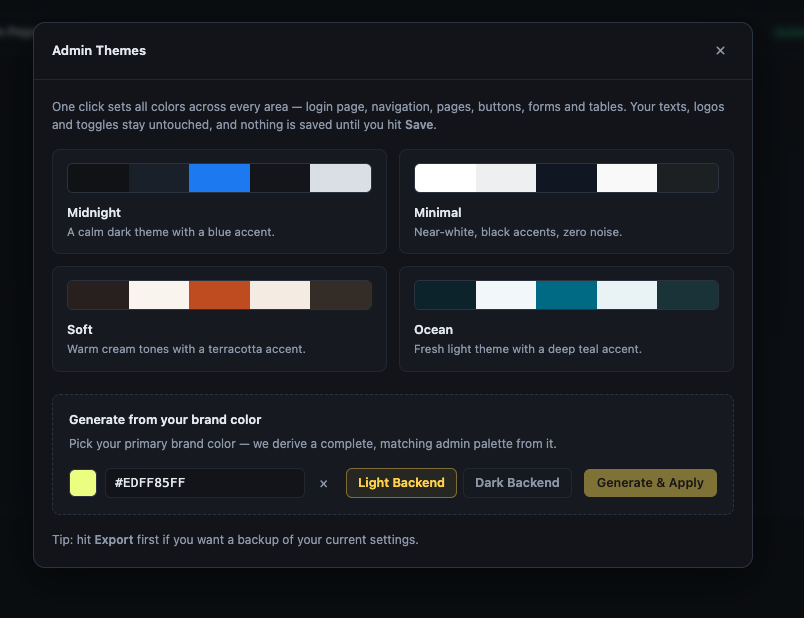
I was applying a colour theme to a client site and found another bug. When i provided the client brand colour of choice the theme generator provided no pallets. This happened with a few other colours. Seems like only some colour shades are supported
Hi Gareth,
the generator itself supports every color - the palette is derived mathematically from the hue and saturation, so there are no unsupported shades.
What actually happens: the colour field only accepts a hex value with a leading hash, like #0a66c2 (or the short #0ac form). Anything else - a value pasted without the hash, an rgb() notation, or an 8-digit hex with transparency - is treated as invalid, and the modal then simply hides the preview swatches and greys out the Generate button without telling you why. So it looks exactly like “this colour is not supported”, while really the input format was rejected.
Could you check whether that matches your case? If you enter the brand colour as a plain 6-digit hex with the hash in front, the palette should appear immediately.
Kind regards
Daniele
yes, in the image you can see the hex forrmat