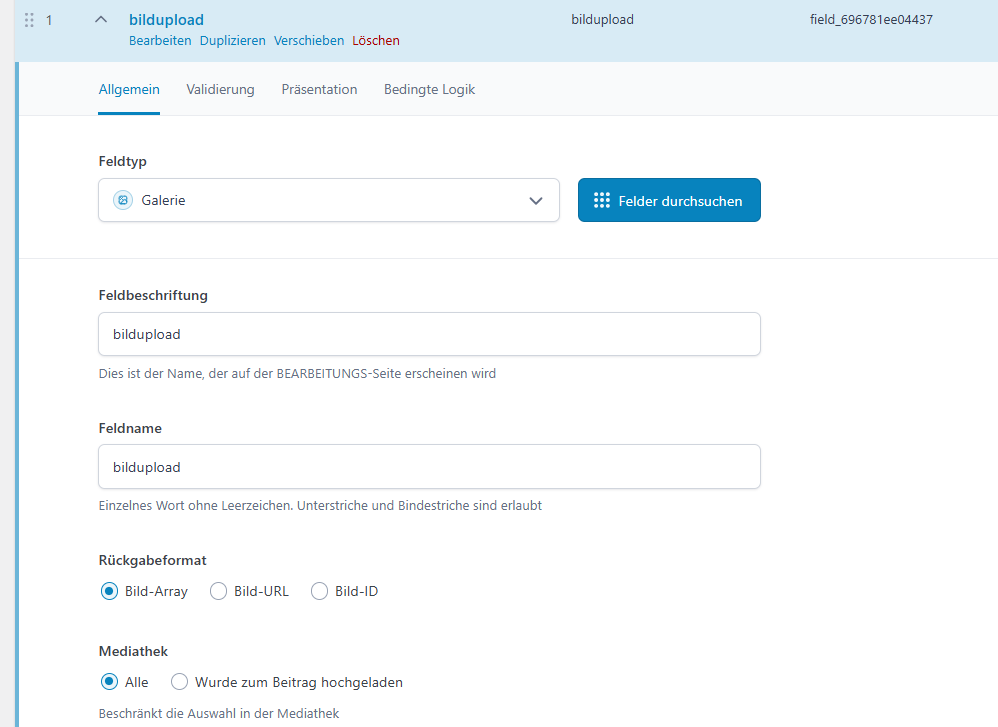
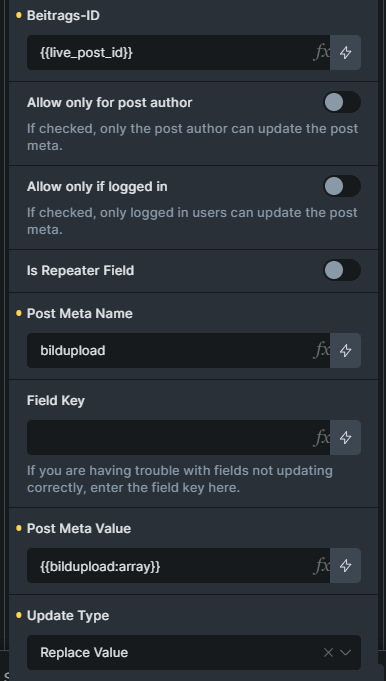
I cant update an ACF file or image field with pro forms.
I can e.g. upload images to an acf gallery field but not to an image field.
I can also use the uploaded image as the featured image of the CPT.
The upload to the wordpress media library works all the time.
I’m experiencing the exact same problem and wanted to share my full setup and troubleshooting steps in case it helps narrow down the bug.
Setup:
BricksForge 3.1.8.4
Bricks Builder 2.2 + ACF Pro 6.7.1
Custom frontend profile page
ACF Image Field profilbild assigned to User Form (Return Value: Image ID)
ProForms File Upload Field → Update User Meta Action
What works:
File uploads correctly to /wp-content/uploads/profilepictures/
Attachment ID is visible in a Live Updater element immediately after submit
Both profilbild (ID) and _profilbild (field key field_69ae8d2ece384) are correctly written to wp_usermeta
ACF field is correctly assigned and visible in /wp-admin/profile.php
What doesn’t work:
After form submit, the existing value in the ACF Image field is NOT replaced – the old Attachment ID remains
What I tried:
{{profilbild}} as value → delivers correct Attachment ID (confirmed via Live Updater)
type set from default to replace → no change
Verified _profilbild field key reference exists in DB → it does
ACF Return Value is set to “Image ID” → confirmed
Note: update_user_meta Source only offers default, metabox, jetengine – no ACF option
The file is uploaded, the ID is correct (checked via live update selector), the DB entries exist – but the existing value is never overwritten. Seems like update_field() is never called for ACF Image fields on user meta.
Any fix or workaround (without custom PHP snippets) would be greatly appreciated!