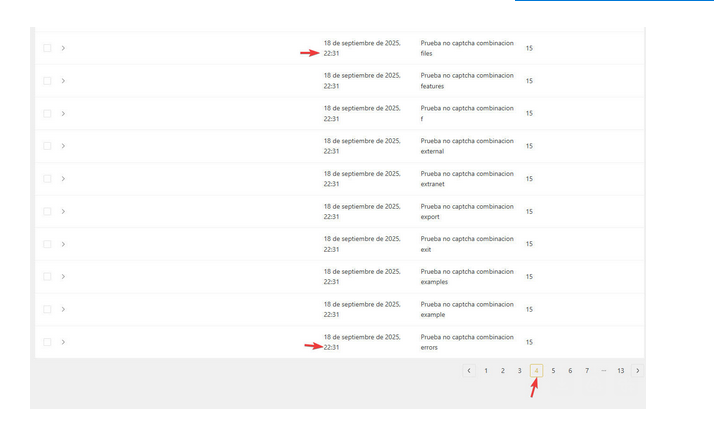
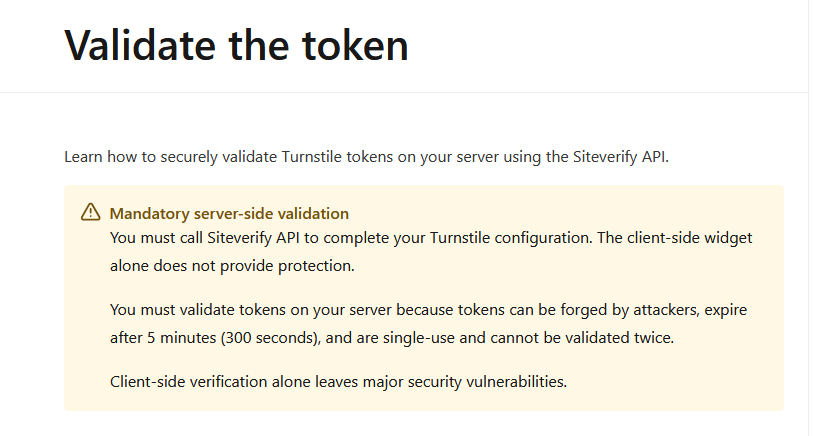
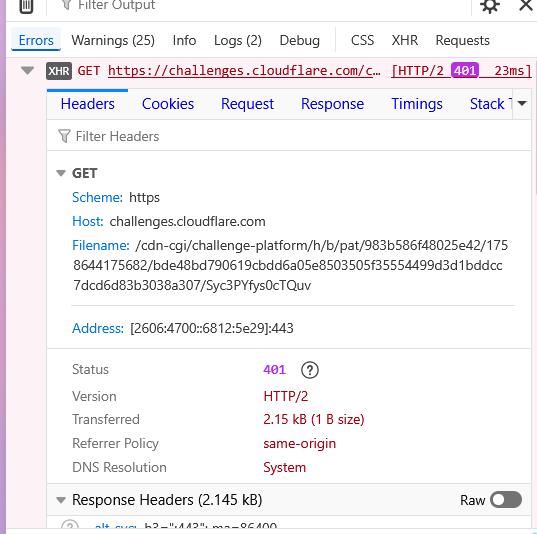
I’m using Turnstile in Pro Forms for captcha (before I was trying hCaptcha), but my security team was able to send mass form submissions, they said it because it is not server-side validated.
Am I missing something here?
I’m using Turnstile in Pro Forms for captcha (before I was trying hCaptcha), but my security team was able to send mass form submissions, they said it because it is not server-side validated.
Am I missing something here?
The captchas are, of course, validated on the server side.
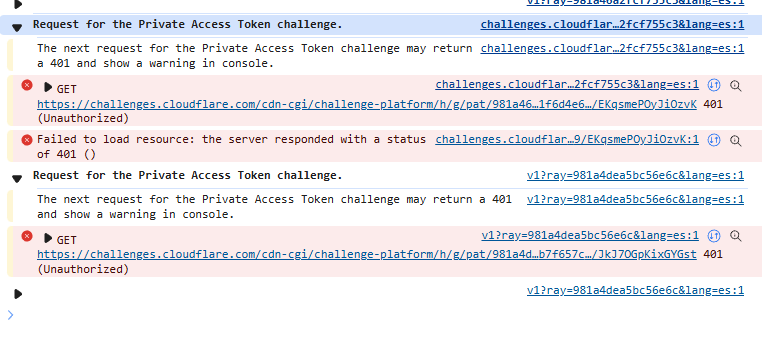
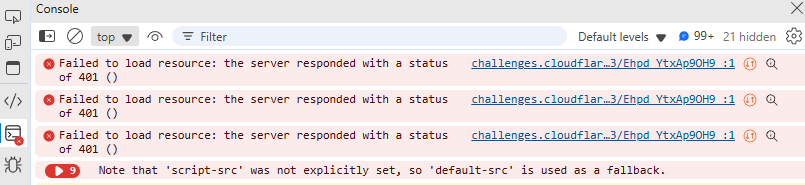
The errors you’re getting in the console rather suggest that incorrect API keys are being used.
Could you double-check that? 
Daniele, thanks for your response. I tried with Turnstile and hCaptcha and both gave me this error. I see now another post that seems to have the same problem.
I already checked and the API keys are correct, in both cases (Turnstile and hCaptcha) with new projects in both platforms, copy/paste correctly.
Not sure if this will be helpful to you, but I just had a huge number of spam registrations on my website today. I am using Proforms and tried to use Turnstile on the form. What I found was that this was ineffective at the Bricksforge POST endpoint only because the hackers were not directing the POSTs to that endpoint. I realized this when I tried to do some server-side validation using the Bricksforge before_submit filter which did not work to stop the spam. They were directing the spam POSTs to the native WordPress registration endpoint at /wp-login.php?action=register, so Bricksforge code never ran to validate this. I was able to address this simply by unchecking “Membership: Anyone can register” in WordPress Settings → General. Once I did this, no further spam registrations made it to our database (and there was a continuous flow of these before).
Unfortunately, it did not work.
I think I found a solution: Make the server validation by myself (ChatGPT):
// Valida Cloudflare Turnstile en Bricksforge Pro Forms (server-side)
// Recomendado: guardar el secret en una opción o constante segura (no hardcodear en producción).

add_action( 'bricksforge/pro_forms/before_submit', function( $form_data ) {
    // --- 1) Obtener token Turnstile del $form_data (varios formatos posibles)
    $token = '';

    // Forma simple: campo directo
    $possible_keys = array( 'cf-turnstile-response', 'turnstile-response', 'turnstile', 'g-recaptcha-response' );
    if ( is_array( $form_data ) ) {
        foreach ( $possible_keys as $k ) {
            if ( ! empty( $form_data[ $k ] ) ) {
                $token = $form_data[ $k ];
                break;
            }
        }
    }

    // Forma alternativa: Bricksforge a veces envía campos dentro de 'fields' u otro array
    if ( empty( $token ) && ! empty( $form_data['fields'] ) && is_array( $form_data['fields'] ) ) {
        foreach ( $form_data['fields'] as $field ) {
            // field puede ser array con 'name' y 'value' o similar
            if ( is_array( $field ) ) {
                $name = $field['name'] ?? '';
                $value = $field['value'] ?? '';
                if ( in_array( $name, $possible_keys, true ) && ! empty( $value ) ) {
                    $token = $value;
                    break;
                }
            }
        }
    }

    // Si aún no hay token, intentar inspeccionar todo (debug) — opcional
    if ( empty( $token ) ) {
        // Si quieres debug temporalmente:
        // error_log( 'ProForms: Turnstile token not found. form_data keys: ' . print_r(array_keys($form_data), true) );
        wp_send_json_error( array( 'message' => 'Turnstile token missing' ), 400 );
        wp_die();
    }

    // --- 2) Preparar secret (mejor guardarlo en opción o en wp-config)
    $secret = defined( 'TURNSTILE_SECRET' ) ? TURNSTILE_SECRET : get_option( 'bricksforge_turnstile_secret', '' );
    if ( empty( $secret ) ) {
        error_log( 'Turnstile secret not configured.' );
        wp_send_json_error( array( 'message' => 'Server misconfiguration (turnstile secret)' ), 500 );
        wp_die();
    }

    // --- 3) Llamar al endpoint de verificación de Cloudflare (POST)


    $verify = wp_remote_post( 'https://challenges.cloudflare.com/turnstile/v0/siteverify', array(
        'body'    => array(
            'secret'   => $secret,
            'response' => $token,
            'remoteip' => $_SERVER['REMOTE_ADDR'] ?? '',
        ),
        'timeout' => 10,
    ) );

    if ( is_wp_error( $verify ) ) {
        error_log( 'Turnstile verify request failed: ' . $verify->get_error_message() );
        wp_send_json_error( array( 'message' => 'Turnstile verify request failed' ), 500 );
        wp_die();
    }

    $body = json_decode( wp_remote_retrieve_body( $verify ), true );

    // Para depuración: registrar la respuesta completa (temporal)
    // error_log( 'Turnstile verify response: ' . print_r( $body, true ) );

    // --- 4) Evaluar resultado
    if ( empty( $body ) || empty( $body['success'] ) || $body['success'] !== true ) {
        // Opcional: leer $body['error-codes'] para mensajes más precisos
        $details = $body ?? array();
        error_log( 'Turnstile validation failed: ' . print_r( $details, true ) );
        wp_send_json_error( array( 'message' => 'Turnstile verification failed', 'details' => $details ), 400 );
        wp_die();
    }

    // Si llegamos aquí, Turnstile validó correctamente y el form puede continuar.
}, 10, 1 );
@Daniele with this code snippet in pre_submit now it did validate the token, preventing on submitting forms without a valid one or duplicated one. Without this code, the result is always success, even if I re-use the request cURL

That`s strange indeed. We have a dedicated verify_turnstile_response() method which is responsible to verify the response and return false back if its not valid. I will check that again and try to reproduce it. Maybe there is a culprit somewhere 
Thanks Daniele, hope you can find something to fix that.
If need some more tests I can provide some extra info. Thanks again!