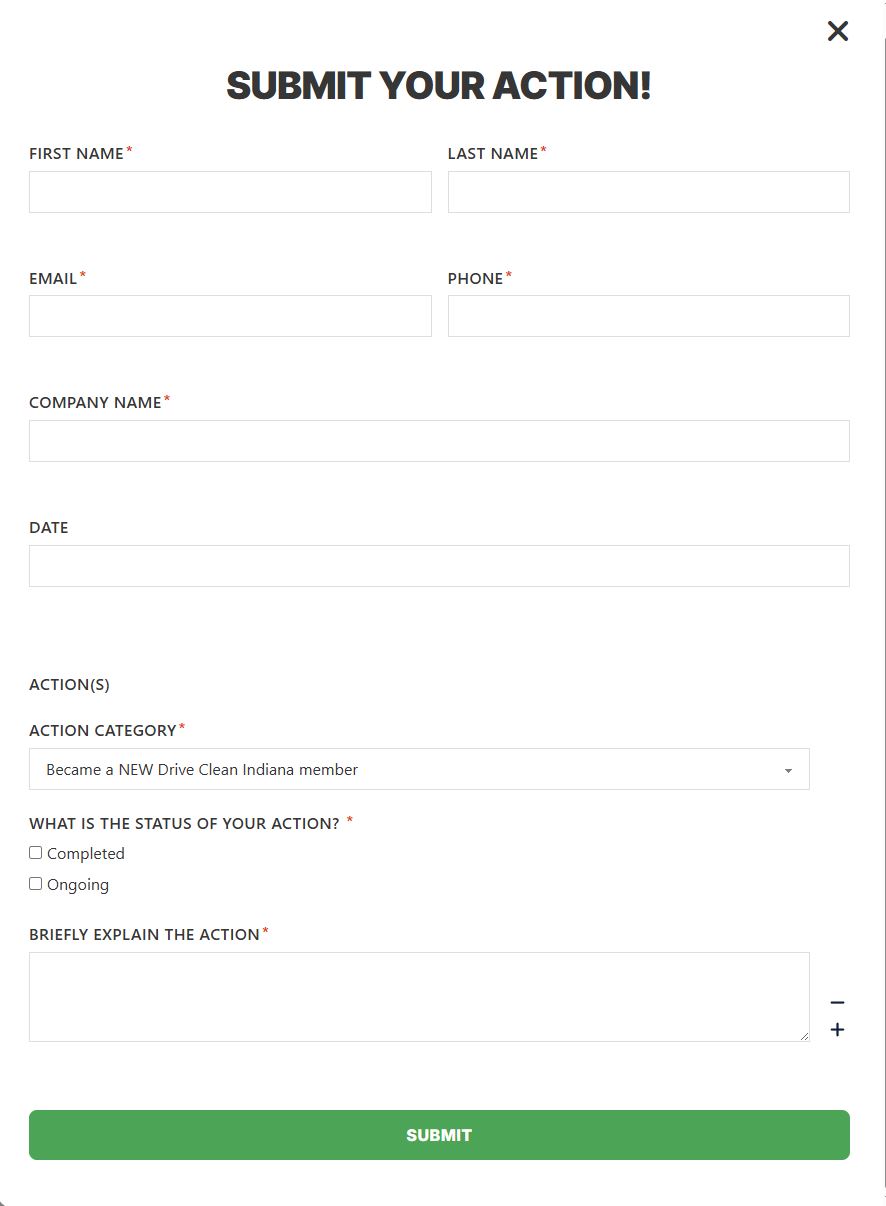
Hello so essentially what I am trying to do with proforms is build a tracker. The functionality I need is as follows. I need a form that asks users for their basic contact information and then a repeater that allows them to submit multiple “actions”. These actions are basically things they have done towards the campaign this form is supporting. As part of an action there is a action category, status of action whether it has been completed or ongoing and a brief explanation. I need to keep track of how many actions have been submitted. On the backend I created a options page with a field for actions submitted using ACF. I know proforms has an increment action on submit but I need to increment by the number of actions submitted not by how many times the form is submitted. Is there a way to do this? I attached a screenshot of how the form is set up. Thank you for any help with this.
Hi @Rayuse,
Just to make sure I understood you correctly: you want your counter to go up by the number of “action” rows in the repeater on each submit (so a submission with 3 actions adds 3), not just +1 per submission. That’s exactly the case I’ll cover below.
The short version: the “Increment by Number” mode can add more than 1 per submission, but Pro Forms has no built‑in value for “number of repeater rows submitted”. You produce that number yourself with one tiny helper field plus a Calculation field. Here’s the full setup.
1. “Increment by Number” can add a number, not just +1
In the Update Option action, the Update Type dropdown has more than a plain “Increment Number”:
- Increment Number → always +1 per submission
- Increment by Number → adds the numeric value of one form field to the current value
So “Increment by Number” is the mode you want. The catch: it reads one form field’s numeric value (you enter that field’s ID in the Select Number Field box), and there’s no built‑in field that automatically equals “how many repeater rows were submitted”.
2. Producing the row count as a number
You create that number with a Calculation field, because the Calculation field sums a repeater sub‑field across all rows:
- Inside your repeater, add one field that always holds
1per row — the simplest is a Hidden field (or a Number field defaulted to1). Give it an ID, e.g.row_one. - Outside the repeater, add a Calculation field (enable Only Remote so it stays hidden) with the formula:
Because{row_one}row_onelives in the repeater, the Calculation engine adds up its value across every row — so with a constant1per row the result equals the number of rows. - Give that Calculation field its own ID. This ID is just a name you pick for the field — I’ll call it
actions_counthere purely as an example; use whatever you like. There’s no pre‑existingactions_countvalue in Pro Forms; it only exists because you named your Calculation field that. - In your Update Option action, set Update Type = Increment by Number and type that same Calculation field ID (
actions_countin my example) into the Select Number Field box.
Now each submission increments your counter by the number of actions in the repeater instead of by 1.
3. A note on the ACF options page target
The Update Option action writes to a WordPress option directly. For a plain number field on an ACF options page, ACF stores the value under the option key options_<your_field_name>, so pointing the action’s Option Name at that key and reading it back with get_field('<your_field_name>', 'option') does work — but please test it on your setup, since it bypasses ACF’s own API and only behaves this way for simple scalar values. If you’d rather avoid that dependency, you can just as well store the running total in a normal WordPress option and read it wherever you need it. (The Update Post Meta action targets a real post, not an options page, so it’s not the right tool for an options‑page counter.)
If you get stuck wiring it up, post a screenshot of the repeater field IDs and the action settings and I’ll take a look.
Best,
Daniele