Hello Bricksforge team!
On sn-translations.de, confirmation e-mails don’t get delivered to people who fill the contact forms. The recipient’s e-mail address is not passed through to the server. You can try this form:
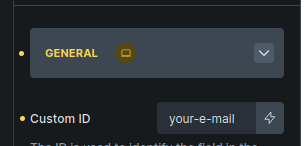
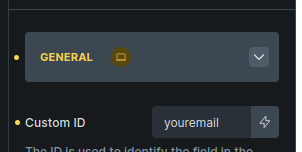
The e-mail field has the following ID:
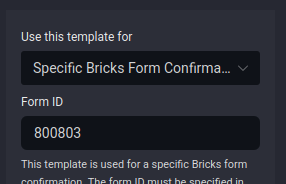
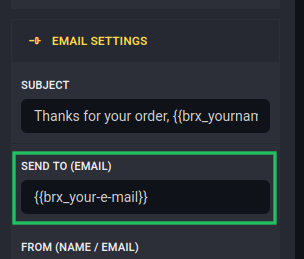
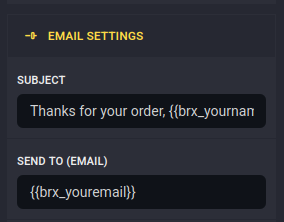
That ID is set in the template, which is built in the E-Mail Designer:
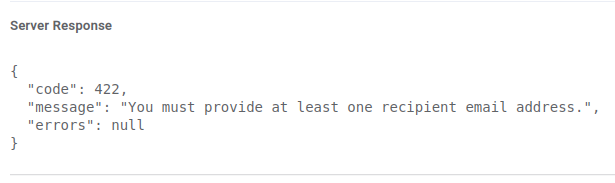
Here’s the response from Brevo’s SMTP server, as reported by FluentSMTP:
You can see in FluentSMTP’s log that the recipient field for the confirmation is blank:

What to do? Feel free to log in and take a look, you can find the login data in my previous bug report:
https://forum.bricksforge.io/t/serious-privacy-issue-files-sent-through-pro-forms-land-in-media-library-search-engines/3978/9
Thanks, and kind regards,
Matt.
EDIT: for context, this used to work until I recently discovered, while troubleshooting another issue, that I had left the recipient field in the confirmation templates empty by mistake. After filling in the form field ID, this has now stopped working altogether, regardless of whether there’s anything in the template’s recipient e-mail field or not.
Hey Matt,
could you try to use underscores instead of dashes? For example, your_email instead of your-email. Please let me know if that makes a difference 
Hello Daniele!
I tried this with the exact same result:
Hi Daniele,
Do you have a suggestion about this one?
Thanks,
Matt.
I was having the same issue yesterday and found the solution to be as follows:
- Leave the “Send To” field in the email designer blank so it uses the default.
- Set the “Sent to email address” in the confirmation email settings in the form itself to the email variable.
This worked for me. Hope it does for you too.
1 Like
Man, you rock. That did it! Thanks so much.
Hello, I have the same issue. I have two forms, and for each I have one mail to the customer and one mail to the website-owner.
I have no issue, to get delivered the mail to the owner.
I dont get sent the mail to the customer, who filled out the form.
I also have set the field-value in the bricks-editor with {{email_shortform}} (the id is “email_shortform”
In E-Mail-Designer:
I have left the “Send to (Email)” Field empty.
I have set the template condition correctly to “specific mail-confirmation” and set the form id correctly to “tqeifm” because I have found it under: data-script-id=“tqeifm”
All this I did also for the other mails, getting sent to the owner, where I changed the template to “Specific Bricks Form”
So, why I cant get any Mail-template get sent, also when I manually insert a mail without {{mail}}, which works for the mail-template, which is sent to the owner?
Greets Michael
i have the solution:
Leave all fields in the Mail Settings in the E-Mail-Designer empty, and all is going to work.