Hi gang. Being totally new to BricksForge, I have a lot of confusion, especially in the tutorials. My biggest gripe for animations is in the interface within Bricks. When I view the tutorial videos I see that the entire animation panel is in the lower part of the screen. In Bricks builder, the interface covers my elements. I would like to have the entire interface on the lower portion like the tutorials. Many reasons here.
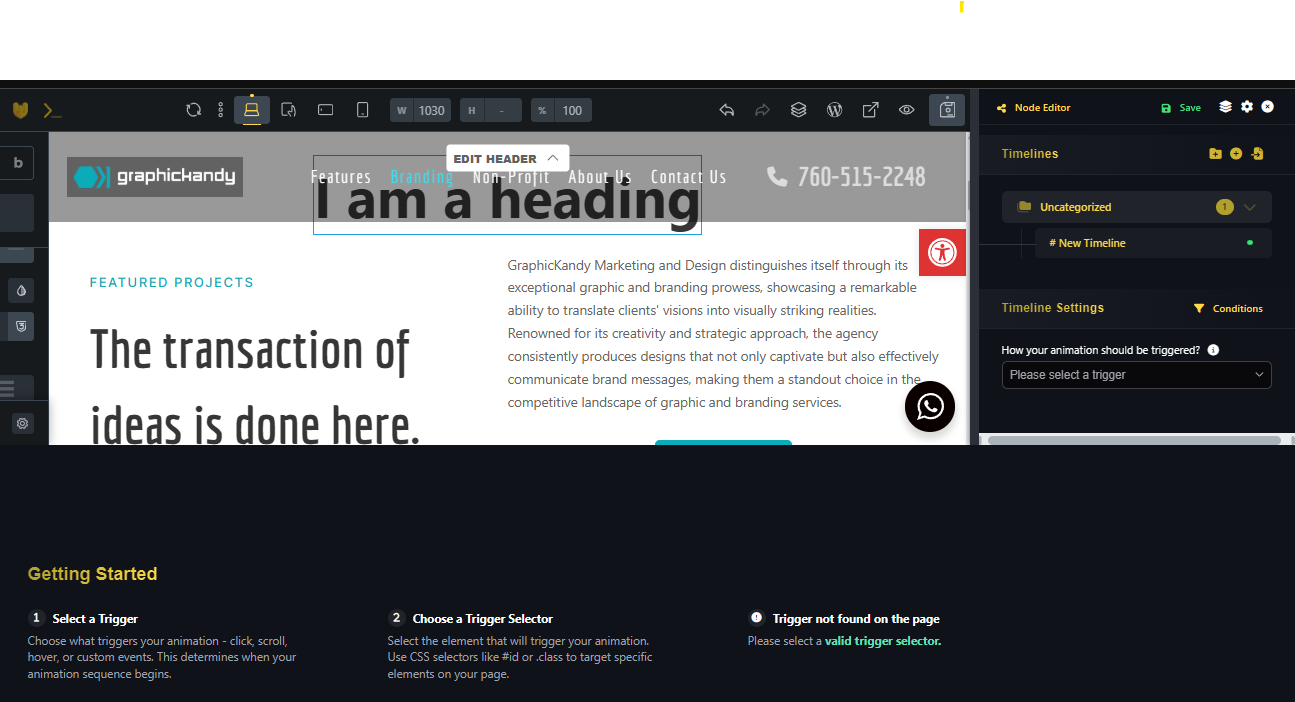
For one, it is impossible to see the overall interface and it is reduced to a small box in the upper righthand corner. Is there a way you move the interface into the animation timeline area to keep it all in one section like the earlier versions? That option would be great to have. Or maybe I am missing something and I can do this myself in BricksForge settings?
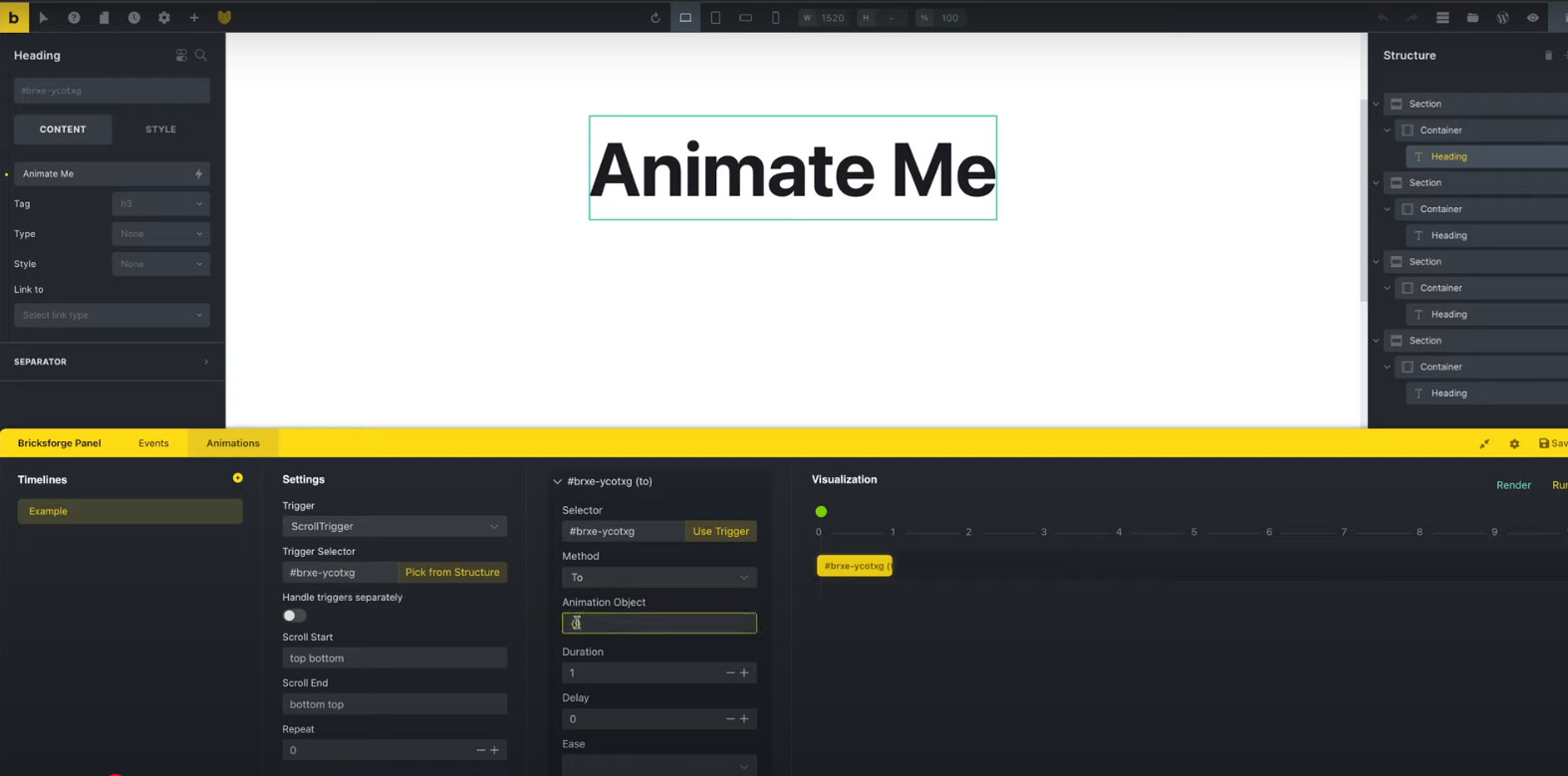
Let me know.
PS: I love ProForms and I have taken to that with great enthusiasm!
Thanks,
Mark